
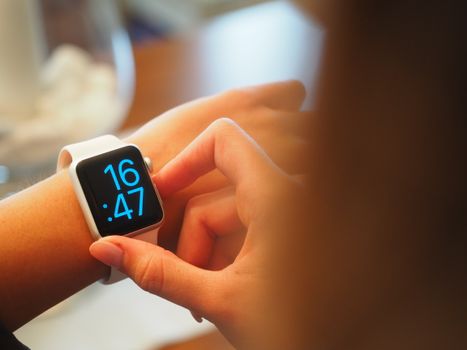
You receive a message that says, “Report at 1630,” or see an appointment listed for 0745. Is that early morning, late afternoon, or something else? The quickest way to make sense of it is to remember that military time counts the hours continuously from midnight through the end of the day. There is no a.m. or p.m., so each time points to only one part of the day.
How does military time work in practice? First, look at the hour. Times from 0000 through 1159 cover midnight to just before noon. Times from 1200 through 2359 cover noon to just before midnight. If the hour is greater than 12, subtract 12 to convert it to standard afternoon or evening time. Once you know that basic rule, reading schedules becomes much easier.
What to do first when reading military time
Military time uses a 24-hour clock rather than dividing the day into two 12-hour periods. It is usually written as four digits. The first two digits show the hour, and the last two show the minutes.
- 0630 means 6:30 a.m.
- 1145 means 11:45 a.m.
- 1200 means noon.
- 1630 means 4:30 p.m.
- 2145 means 9:45 p.m.
When you see a military time, begin by separating the number mentally into hours and minutes. For example, read 1742 as “17 hours and 42 minutes.” Because 17 is greater than 12, subtract 12. The result is 5, so 1742 is 5:42 p.m.
A leading zero is important. In 0745, the “07” identifies the seventh hour after midnight. That makes 0745 equal to 7:45 a.m., not 7:45 p.m.
How to convert standard time to military time
For morning times
For times between 1:00 a.m. and 11:59 a.m., keep the same hour, remove the colon, and add a leading zero when needed. The minutes do not change.
- 5:00 a.m. becomes 0500.
- 8:20 a.m. becomes 0820.
- 10:35 a.m. becomes 1035.
- 11:59 a.m. becomes 1159.
Midnight is written as 0000 when it marks the beginning of a new day. Therefore, 12:15 a.m. becomes 0015.
For afternoon and evening times
For times from 1:00 p.m. through 11:59 p.m., add 12 to the hour and leave the minutes unchanged.
- 1:10 p.m. becomes 1310.
- 4:30 p.m. becomes 1630.
- 7:05 p.m. becomes 1905.
- 11:45 p.m. becomes 2345.
Noon is the exception to the addition rule. Twelve noon is already 1200, so you do not add another 12.
How to convert military time back to standard time
If the military time is between 0100 and 1159, remove any leading zero and add a.m. Thus, 0935 becomes 9:35 a.m. If the time is between 1300 and 2359, subtract 12 from the hour and add p.m. For example, 2210 minus 12 hours gives 10:10 p.m.
Times in the 1200 hour need special attention. The period from 1200 through 1259 is shortly after noon, not after midnight. For example, 1245 is 12:45 p.m. By contrast, times beginning with 00 occur shortly after midnight: 0045 is 12:45 a.m.
How military time is spoken
Military time is often spoken digit by digit or as an hour followed by “hundred” when there are no minutes. Pronunciation can vary by organization, but common examples include:
- 0600: “zero six hundred.”
- 0815: “zero eight fifteen.”
- 1300: “thirteen hundred.”
- 1645: “sixteen forty-five.”
- 2300: “twenty-three hundred.”
The word “hours” may be added, especially in formal instructions. Someone might say, “The briefing begins at sixteen hundred hours.” In ordinary written schedules, however, the time may appear simply as 1600 or 16:00.
What happens at midnight?
Midnight can cause confusion because it sits at the boundary between two calendar dates. In most schedules, 0000 means the beginning of a day. For example, 0000 on Tuesday is the instant Monday ends and Tuesday begins.
The notation 2400 may be used to indicate the end of a specified day. Monday at 2400 and Tuesday at 0000 describe the same instant, but from different scheduling perspectives. The National Institute of Standards and Technology guidance on times of day explains this distinction and recommends using clear wording when midnight could be misunderstood.
For travel, work, medical appointments, or deadlines, confirm both the date and the time rather than relying on “midnight Friday.” A clearly stated time such as Friday at 2359 or Saturday at 0001 is less likely to be misread.
What usually comes next: checking the time zone
Military time tells you the hour, but it does not automatically identify the time zone. A local schedule may use local time without adding a zone. Operations involving people in different regions may include a letter that identifies the zone.
You may encounter “Z” after a time, as in 1800Z. The letter is pronounced “Zulu” and refers to Coordinated Universal Time, or UTC. That does not necessarily mean 6:00 p.m. where you live. You must convert from UTC to the relevant local time zone and account for daylight saving time when applicable.
Where you may see military time in everyday life
The 24-hour clock is not limited to the armed forces. Hospitals, emergency services, transportation systems, weather reports, security teams, and international businesses often use it because it reduces confusion between morning and evening. Phones, watches, computers, and vehicle displays may also offer a 24-hour setting.
It is particularly useful for shift schedules. A work period listed as 1500–2300 clearly runs from 3:00 p.m. to 11:00 p.m. If you are comparing schedules or exploring quick part-time work opportunities and their scheduling considerations, recognizing the 24-hour format can help you understand posted hours correctly.
A simple way to remember the system
For morning times, keep the hour and add a leading zero if necessary. For afternoon and evening times, add 12 when converting to military time and subtract 12 when converting back. Remember that 0000 is midnight at the start of the day, while 1200 is noon.
With a little practice, you will stop calculating every conversion. Familiar times such as 1300, 1700, and 2200 quickly become recognizable as 1:00 p.m., 5:00 p.m., and 10:00 p.m. The key is to check the hour first, preserve the minutes, and confirm the date and time zone whenever the schedule involves midnight, travel, or multiple locations.